This report allows you to upload Paychecks and other reports to the employee dossier. The procedure for Paychecks accounting is shown here.
1.In the search field, search for “Save Report to Employee Dossier.” A report request page will open.
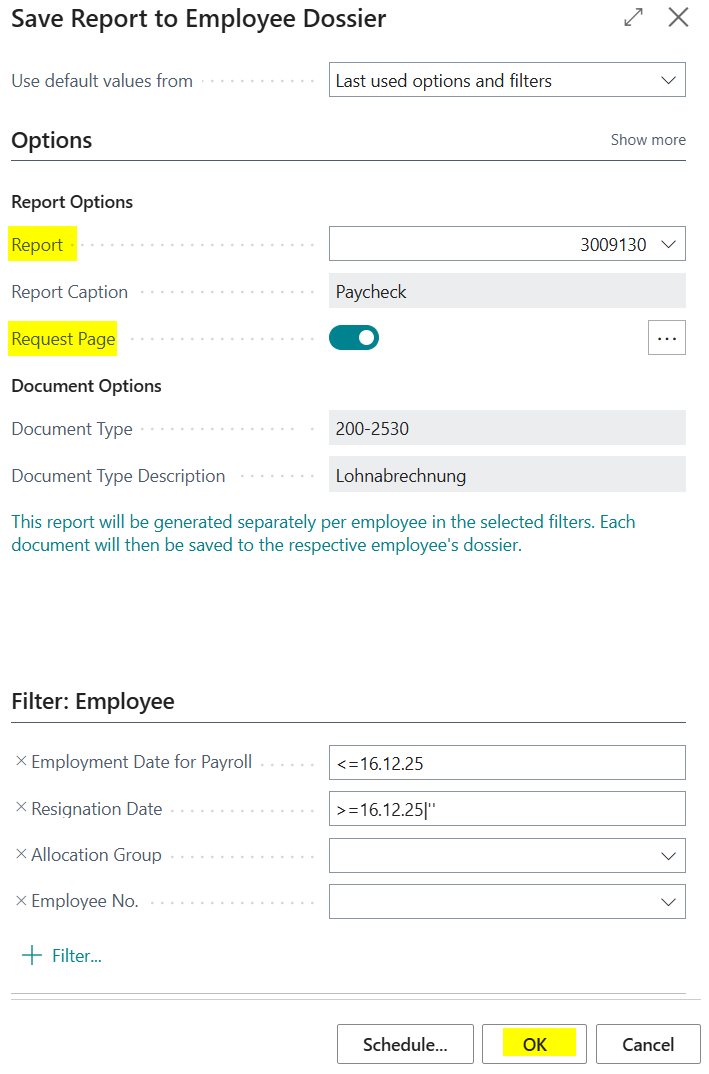
2.In the “Report” field, select the desired report (object field for Paycheck 3009130), then set the “Report Options” Boolean field to Yes. A “Paycheck” report request page will then be displayed.
3.In the “Payroll run number” filter field, select the desired payroll run number and then click OK. This closes the report request page.
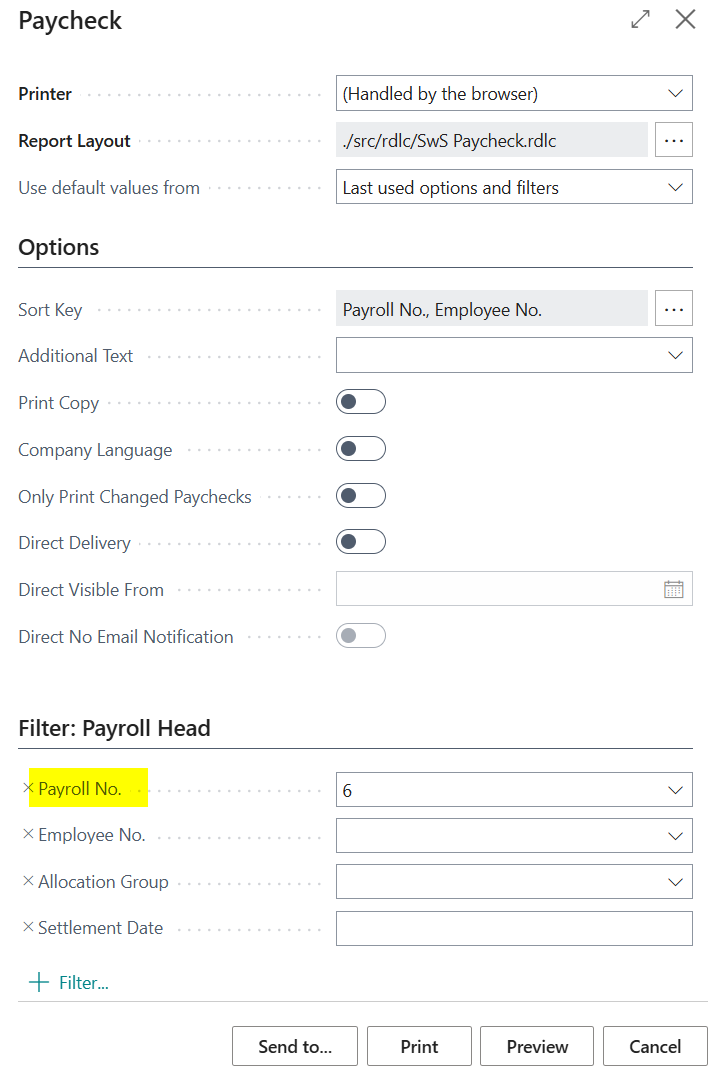
4.Click OK again. The Paycheck will be loaded into the Employee dossier.